
Open any affiliate dashboard for the first time and you are met with a wall of numbers: clicks, impressions, conversions, EPC, cookie windows, reversal rates. Most beginners respond in one of two unhelpful ways — they obsess over every figure every day, or they ignore the dashboard entirely and just hope sales appear. Both waste the real value of the data. You only need to understand seven numbers to make good decisions about what to promote, what to fix, and what to drop. This guide explains each one in plain English, with the formula, a worked example, and what a healthy range actually looks like for a beginner site in 2026.
Disclosure: This post contains affiliate links. If you sign up through one of these links, I may earn a commission at no extra cost to you.
Why beginners track the wrong numbers
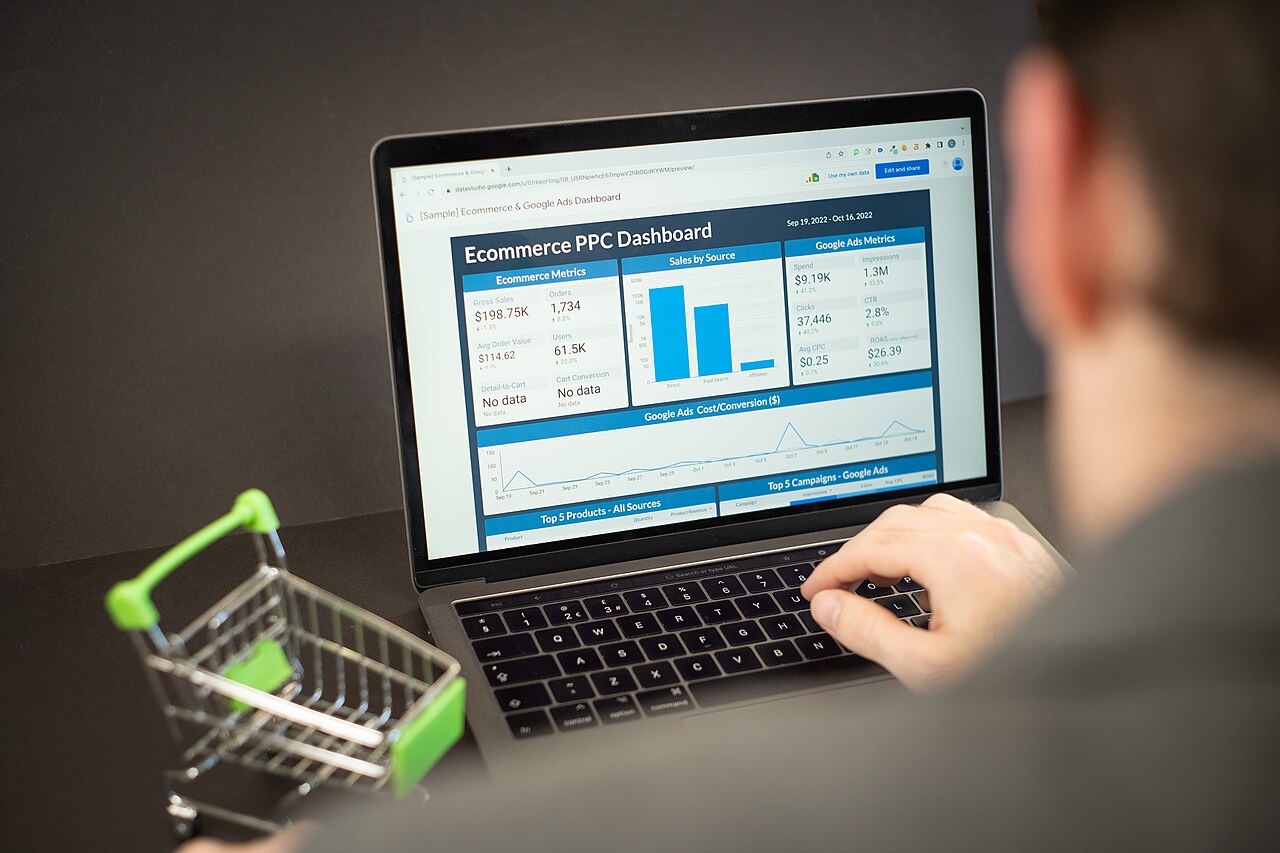
The number beginners check most is total earnings, and it is the number they can do least about directly. Earnings are a result, not a lever. They tell you what happened last month, but not why, and not what to change next week. The seven metrics below are the levers underneath earnings. Each one points to a specific fix: a weak headline, a mismatched product, a sales page that does not convert, or a program whose terms quietly eat your income. Learn to read them in order — traffic first, money last — and a confusing dashboard becomes a short to-do list.
1. Clicks: are people actually leaving your site?
A click is simply a visitor following one of your affiliate links. On its own, a click count means little, but as a trend it answers the most basic question in the business: is anyone interested enough in your recommendations to act on them? Zero or near-zero clicks on a post that gets traffic usually means the link is buried, the recommendation feels like an afterthought, or the post attracts readers who were never going to buy anything. Before you blame a program for poor earnings, check this first. No clicks means no possible sales, whatever the commission rate is.
2. Click-through rate: how persuasive is the page?
Click-through rate (CTR) turns raw clicks into something you can compare between posts. The formula is clicks divided by page views, multiplied by 100. If a review gets 1,000 views and 80 affiliate clicks, its CTR is 8 percent. There is no single correct CTR — a buying-intent review should click through far better than a general tutorial — but comparing your own posts against each other is revealing. When one review earns three times the CTR of another on similar traffic, study what it does differently: where the first link appears, how the recommendation is framed, and whether the reader arrived already wanting to buy. Our guide to using Google Analytics 4 for affiliate marketing shows how to find the page-view side of this equation for your own site.

3. Conversion rate: does the merchant close the sale?
Conversion rate is the share of your clicks that turn into the action a program pays for — usually a completed purchase, sometimes a sign-up or a booking. The formula is conversions divided by clicks, multiplied by 100: 4 sales from 200 clicks is a 2 percent conversion rate. This is the first metric that is mostly out of your hands, because the merchant’s price, sales page, and checkout do the closing. That is exactly why it matters. Industry data for 2026 generally puts average affiliate conversion rates around 1 to 3 percent for e-commerce programs, with warm, high-intent traffic — review readers and email subscribers — often converting noticeably better than broad informational traffic. If a program converts well below 1 percent despite targeted clicks, the problem is usually the offer, not your content, and no amount of extra traffic fixes a sales page that does not work.
4. EPC: the single best number for comparing programs
EPC stands for earnings per click, and if you track only one money metric, make it this one. The formula is total commission earned divided by total clicks. Earn $60 from 500 clicks and your EPC is $0.12 — twelve cents per click, or $12 per 100 clicks. EPC is powerful because it combines commission size, product price, and conversion rate into one honest figure. A program paying a headline 50 percent commission on a $20 product that rarely converts can easily produce a lower EPC than a modest 10 percent program on a $200 product that converts steadily. That is why experienced affiliates compare programs by EPC rather than by the commission percentage on the recruitment page — a point that also belongs in your checks when you are choosing affiliate products to promote in the first place.

5. Commission per sale and average order value
Commission per sale is what one conversion actually pays you, and it is driven by two things: the commission rate and the price of what the customer buys — the average order value. A 40 percent commission on a $30 ebook pays $12. A 10 percent commission on a $300 course pays $30. Beginners routinely chase the bigger percentage and end up with the smaller cheque. Neither figure is automatically better: cheaper products usually convert more easily, expensive ones need more trust and longer consideration. The practical habit is simple — record the dollars per sale alongside the percentage in your notes, and judge a program on dollars and EPC together, never on the percentage alone. The programs in our roundup of the best affiliate programs for beginners are compared on exactly those terms: commissions, cookies, and payouts, not headline rates in isolation.
6. Cookie duration: how long a click keeps working for you
Cookie duration — also called the cookie or attribution window — is how long after a click a purchase still counts as yours. With a 30-day window, a reader who clicks today, leaves, and buys three weeks later still earns you a commission. Most programs use a last-click rule: if the shopper clicked another affiliate’s link in between, the most recent click usually gets the credit. Windows vary enormously. Amazon Associates is the famous short example at 24 hours, with one softening rule: an item added to the cart inside that window can still earn a commission if it is bought within about 90 days. Thirty days is a common standard elsewhere, and 60 to 90 days is strong, especially for considered purchases like software or courses that people research for weeks. A short cookie is not automatically a deal-breaker — it suits buy-now products — but promoting a high-ticket, slow-decision product on a 24-hour window means most of your influence will never be credited.

7. Reversal rate and payout threshold: the money that never arrives
The final pair of numbers decides how much of your dashboard earnings you actually receive. The reversal (or refund) rate is the share of commissions cancelled because the customer refunded, cancelled, or the sale was invalid. A program showing healthy sales with a high reversal rate is worth far less than it looks, and categories built on hype tend to carry the worst refund behaviour. The payout threshold is the minimum balance you must reach before the program pays you at all — $10 on some programs, $100 as the default on others — often with a waiting period on top while refunds clear. Neither number appears in recruitment headlines, and both belong in your notes before you build content around a program. A slightly lower EPC with a low threshold and low reversals often puts money in your bank sooner than a flashier program that holds everything back.
A simple weekly routine that takes 20 minutes
You do not need special software to track all this. A plain spreadsheet with one row per program — clicks, sales, earnings, and the three calculated columns for CTR, conversion rate, and EPC — is enough for a beginner site. Update it once a week, not once a day: daily figures on a small site are mostly noise, while a month of weekly rows shows real trends. Then ask three questions of the data. Which post sends clicks that never convert? Which program has the best EPC, and can it be featured more prominently? Which program has sent steady clicks for a month with nothing to show for it? Act on one answer per week — move a link higher, improve a call to action, or replace a dead program — and the dashboard stops being a source of anxiety and starts being a plan.

Where to learn this properly
Metrics make sense fastest when you are looking at your own live dashboard with real clicks coming in, which is why this skill is best learned inside a working business rather than from theory alone. That is the structure of the training at Wealthy Affiliate: you build the site, publish the content, and learn to read the results as part of one connected process, with hosting and keyword research built into the same platform. If you want that foundation, you can start with a free Wealthy Affiliate Starter account here — no credit card required — and see the extras on the Free Bonuses page that come with joining through this site.
Start this week, even if your numbers are tiny. Record your clicks, work out your first conversion rate and EPC by hand once, and check the cookie duration and payout threshold of every program you promote. Those seven numbers, reviewed weekly and acted on calmly, will tell you more about what to do next than any headline commission rate ever will. When you are ready to put the tracking into practice on a site of your own, create your free Starter account and claim the guides on the Free Bonuses page — then let your own dashboard, not anyone else’s promises, judge how you are doing.