
Here is a fact that surprises most beginner affiliates: you do not need a single subscriber to start earning from YouTube. Affiliate links work from your very first video — no ad revenue, no sponsorships, no waiting for YouTube’s permission. Video just happens to be the format buyers trust most. Someone who watches you demo a product for eight minutes is far closer to buying than someone who skimmed a paragraph. This guide covers how to turn a brand-new channel into an affiliate asset: which videos convert, where links go, what the rules are, and what gear you actually need.
Disclosure: This post contains affiliate links. If you sign up through one of these links, I may earn a commission at no extra cost to you.

Why YouTube Works So Well for Affiliates
Three reasons, and they compound. First, YouTube is one of the largest search engines in the world, which means your videos can rank for buying-intent searches like “best budget microphones” or “X vs Y review” for years — the same compounding effect that makes free traffic methods so powerful on a blog. Second, video builds trust faster than text. Viewers see your face, hear your voice, and watch the product actually work, which answers the objection every buyer has: “is this real?” Third, the audience is pre-qualified. Nobody watches a 12-minute product comparison by accident — that viewer is shopping.
You Don’t Need to Be Monetized to Earn
This is the misconception that stops beginners cold. YouTube’s Partner Program — the thing that pays you a share of ad revenue — requires 1,000 subscribers plus either 4,000 watch hours in the last 12 months or 10 million Shorts views in the last 90 days (thresholds verified against YouTube’s published criteria in 2026; note they are reported to rise for new applicants in 2027, so check the current numbers). There is also a lower fan-funding tier at 500 subscribers that unlocks memberships and Super Thanks but not ad revenue.
Here is the key point: none of that gates affiliate links. You can put affiliate links in your video descriptions from day one, with zero subscribers. Ad revenue is YouTube paying you; affiliate commissions are the merchant paying you. They are completely separate income streams, and the affiliate one has no minimum. Do not wait for monetization to start — start, and let the affiliate income fund the journey to monetization.

The 5 Video Types That Actually Convert
Not all videos earn equally. These five formats map directly to buyer intent, in roughly ascending order of effort:
- Product reviews. One product, honest walkthrough, real pros and cons. The highest-converting format in affiliate marketing, on video or off.
- Comparisons. “X vs Y” videos capture shoppers at the final decision stage. Keep them fair — a rigged comparison destroys the trust the format depends on.
- Tutorials and how-tos. Teach someone to solve a problem using the product. The link becomes the natural next step, not a sales pitch.
- “Best of” roundups. “5 best budget laptops for students” — these rank well and let you promote several programs in one video.
- Problem-solving videos. Answer the specific question your niche is already searching for, then mention the tool that solves it. Lowest pressure, highest goodwill.
Notice what is missing: vlogs, entertainment, and trend-chasing. Those build audiences; the five above build buyers. When you are starting out, every video should target someone who is already considering a purchase.
Setting Up Your Channel the Right Way
Before you upload anything, make three decisions. First, one niche per channel. A channel that reviews kitchen gadgets on Monday and crypto wallets on Friday confuses both viewers and the algorithm. Second, write descriptions like they matter — because they do. The first two lines show before the “show more” fold, so put your key link and a one-line value proposition there. Third, plan for disclosure from video one. Say it out loud in the video and write it in the description: which links are affiliate links and that you may earn a commission. This is not optional — it is the law in the US (FTC rules apply to YouTube exactly as they do to blogs), and YouTube also asks you to check the paid-promotion disclosure box where applicable.

Where to Put Your Affiliate Links
Placement determines click-through more than most beginners expect:
- Top of the description. The most valuable real estate you own. Link the main product within the first two lines, before the fold.
- Pinned comment. Pin your own comment with the key links. A surprising share of viewers read comments before descriptions.
- Video cards and end screens. Use these to keep viewers inside your content funnel — link to your related review or comparison, not out to the merchant. YouTube rewards session time.
- Timestamps. Chapter markers (“02:14 — Pricing”, “05:40 — My verdict”) do double duty: they improve the viewing experience and they let you anchor specific claims to specific moments, which builds credibility.
- Your channel’s About page. A permanent home for your most-promoted links and a short disclosure statement.
One caution: never put affiliate links in places YouTube flags as spam — mass-posting them in other creators’ comments will get you strikes, not sales.
Start With the Gear You Already Have
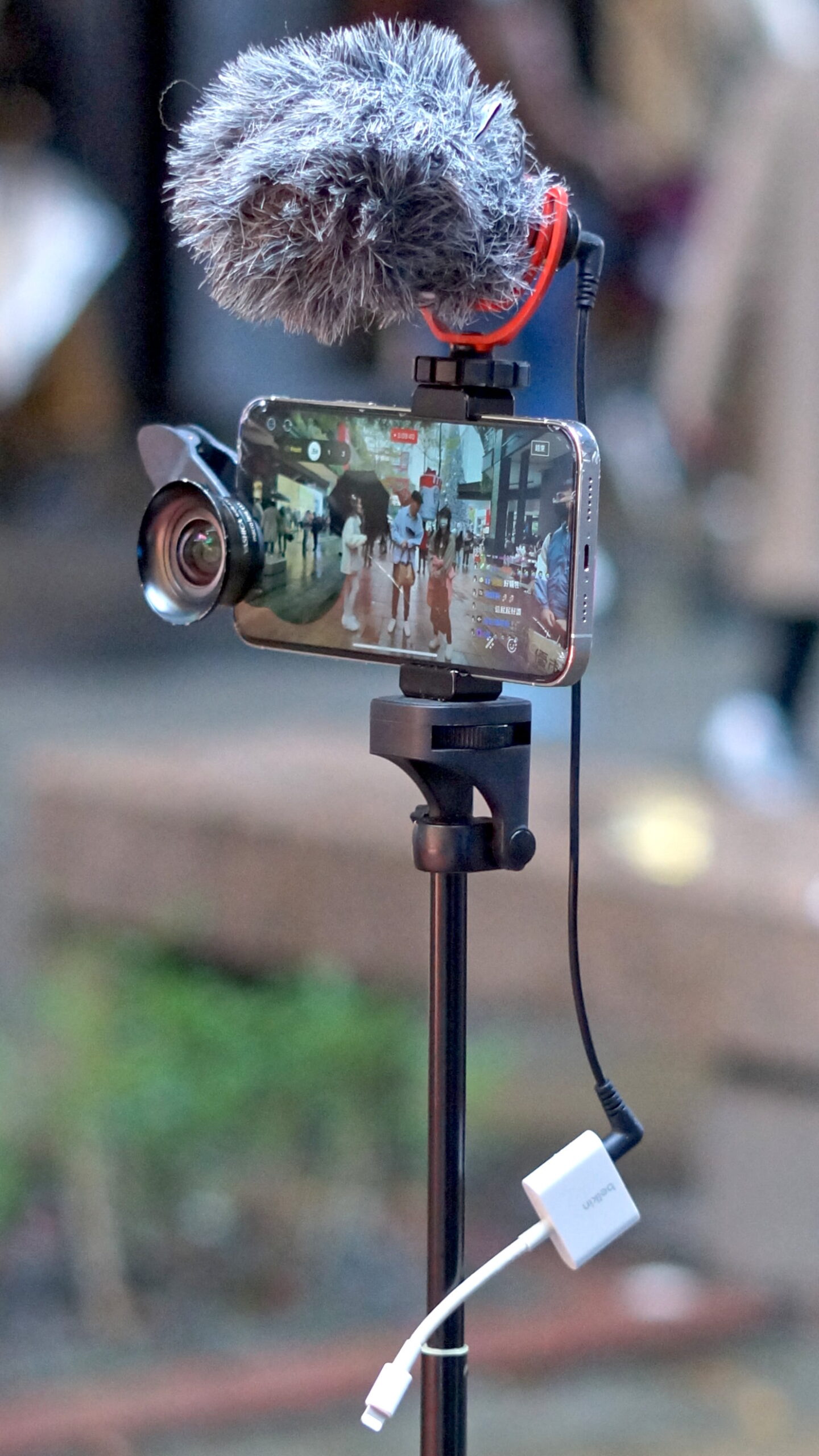
The biggest lie in YouTube advice is that you need expensive equipment. Your phone shoots better video than professional cameras did a decade ago, and it is more than enough for reviews, tutorials, and talking-head comparisons. What actually separates watchable videos from unwatchable ones is not the camera — it is audio and lighting. A $25 lavalier microphone and facing a window will improve your videos more than a $1,000 camera ever could. Edit with free software (CapCut and DaVinci Resolve both have generous free tiers — see our beginner tools roundup for the full list), keep your edits simple, and upgrade gear only after the channel is earning.
A Realistic Timeline (Read This Before You Start)
YouTube is a slow-burn channel, and you should go in with honest expectations. Most new affiliate channels see their first trickle of link clicks within the first couple of months, but meaningful, consistent commissions typically take six months to a year of steady publishing — the same realistic curve as blogging, which I break down in detail in our realistic timeline for beginners. The algorithm needs time to learn who your videos serve, and viewers need to see a back catalog before they trust a new creator. The creators who win are not the most talented — they are the ones still publishing in month eight.
Your First 30 Days: A Simple Plan
- Days 1–7: Pick your niche, set up the channel (name, banner, About page with disclosure), and script your first three videos. Batch the scripting — it is the hardest part.
- Days 8–14: Film and publish video 1 (a product review of something you already own). Write a full description with your affiliate link at the top and a pinned comment.
- Days 15–21: Publish video 2 (a tutorial or comparison). Study your analytics: where do viewers drop off? Fix that in the next video.
- Days 22–30: Publish video 3 (a “best of” roundup in your niche). Commit to a schedule you can sustain — one quality video per week beats four rushed ones.
That is the whole playbook: buyer-intent videos, honest disclosures, links where viewers actually look, and a schedule you keep. YouTube will not make you rich in a month, but as a traffic source it is one of the few that compounds — every video keeps working while you sleep, and every new video lifts the old ones. If you want the full strategy behind the channel — niche selection, content planning, and ranking your videos — the step-by-step training inside Wealthy Affiliate covers exactly that, and you can start free here. New members through my link also get the free bonuses I put together to help you launch faster.